


Modern Ops: Gun Shooting Games
4.739.51K Reviews
App Specs
- Version
- 9.96
- Updated On
- License
- Free
- Downloads
- 100,000,000+
- Developer
- Edkon Games GmbH
- Categories
- Action
- Platform
- Android, iOS
Screenshots
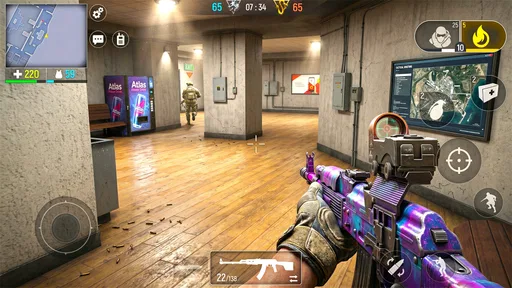
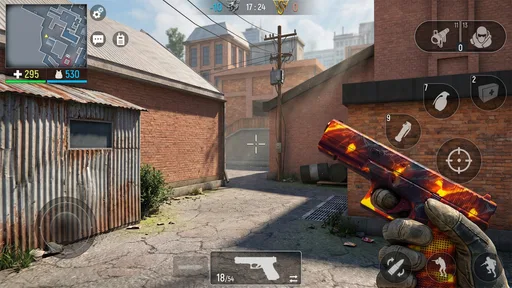
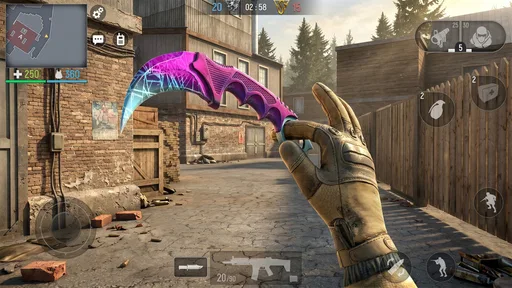
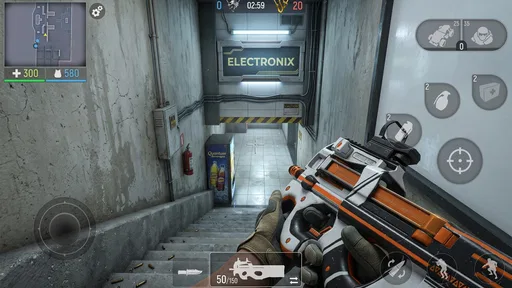
 Analysis by AppCompare
I tend to reach for a mobile shooter when I have a short break and want something more hands-on than a puzzle game. Modern Ops: Gun Shooting Games is built around quick, direct action, so it makes sense for players who want to get into a firefight without committing to a long story campaign. My overall impression is that it aims for familiar, accessible shooting rather than a deep simulation: the appeal is the immediate match, the weapon choices, and the push to improve over time.
Who will enjoy this kind of shooter
If you like first-person action and the pressure of facing other players, this is an easy game to consider. It suits someone who wants a competitive session on a phone, enjoys trying different weapons, or likes gradually tuning a loadout. I would be less likely to recommend it to a player who wants a quiet, offline experience, a carefully written single-player campaign, or a highly realistic tactical simulator. Those priorities call for a different kind of game.
A practical way to approach it is to treat the first few sessions as a test of comfort rather than a race to build the strongest kit. Learn how the controls feel on your device, notice which weapon types you can handle reliably, and avoid spending just because an upgrade or offer catches your eye. In a mobile shooter, familiarity with aiming and movement can matter as much to your enjoyment as owning more equipment.
What a short play session looks like
Picture a commute break or a few minutes waiting for a friend: you open the game, choose a match, and get a concentrated burst of action rather than a slow setup for a long campaign. That short-session fit is one of its clearest strengths. It also means interruptions can be frustrating if you start a match when you may need to put your phone away. I would save competitive play for a stretch when you can stay focused until the match ends.
For a more deliberate routine, I would alternate between playing and reviewing what felt awkward. If a weapon makes it hard to keep aim steady, switch to another option before assuming that upgrades will solve the problem. If you are playing with friends, agree on a simple plan before a match—such as sticking together—rather than relying on chat while the action is already underway. These small choices make a fast shooter easier to enjoy without turning every session into a grind.
How it fits among mobile shooters
Compared with mobile action games built around a campaign, Modern Ops puts more of its appeal in repeatable multiplayer combat and loadout variety. That is a better fit if you want opponents and quick rematches than if you prefer a plotted adventure with a clear ending. Against slower tactical shooters, its fast-action pitch is more approachable, but players seeking careful simulation may find the style too immediate. The trade-off is simple: it prioritizes jumping into action over the kind of extended, deliberate play that some shooter fans prefer.
There is also a difference between choosing a game for its social side and choosing one for solo play. The original appeal here includes team play and chat, which can make it more engaging with friends or other players. If you would rather avoid communication features, or simply want a shooter that feels complete on your own, I would compare it with single-player-focused alternatives before settling in. Your preference for competition versus a self-paced experience matters more than a broad “best shooter” label.
Worth Reading Before You Choose

Flipboard Shows What News Apps Must Do Beyond the Feed

Switching to Android Auto Means Rethinking Your Driving Routine

Google Calendar Makes a Crowded Week Easier to Manage

Ludo King Makes the Most of the Minutes Between Plans

Baby Panda World Brings Quick Play to Modern Phones, but Its Game Library Feels Busy

ESPN’s Live Game View Makes Following Close Games Easier
Purchase context and spending choices
The game is free to download, and its in-app purchases range from $0.99 to $194.99 per item. That wide span deserves a careful look before buying: the lower end may feel like a small optional purchase, while the upper end is a substantial commitment. I would set a personal spending limit in advance and treat purchases as optional rather than as an automatic route to better play. The existence of paid items alone does not tell me whether a particular purchase is necessary, good value, or decisive in a match.
That distinction is important when judging fairness. I can say that spending is available, but I cannot responsibly claim from the purchase range alone that paying players have a competitive advantage, that free players are equally matched, or that purchases are purely cosmetic. If fairness is your main concern, try the game without buying anything first and pay attention to how progression feels. That gives you a more useful basis for deciding than an assumption about what paid items do.
Progress without turning play into a chore
Weapon upgrades and rewards can give each session a longer-term purpose, but progression is most enjoyable when it follows a weapon you already like using. I would resist spreading resources across every option early on; testing a few choices first helps you avoid investing in gear that does not suit your aim or pace. A familiar weapon can be more useful in practice than a collection of upgrades you have not learned to handle.
There is a pressure point common to competitive mobile games: when a match goes badly, it is tempting to interpret that as proof that you need a purchase or another upgrade. I would pause before drawing that conclusion. A rough match can come from unfamiliar controls, a poor weapon fit, or simply an opponent having a better moment. Taking a break or changing your approach is often a healthier response than spending to chase a quick fix.
Practical details before installing
Edkon Games GmbH developed this action game, which is rated Teen and requires Android 8.0 or later on Android. It was released on March 19, 2019, and version 9.72 is the current version. Its 4.7 average comes from around 1.5 million ratings, while the game has passed 100 million installs and received around 39,000 written reviews. Those figures show that it has reached a large audience, but they cannot tell you whether its controls, pace, or purchase balance will suit you personally.
Before installing, I would check that your phone meets the Android requirement and think about whether you want a competitive shooter rather than a campaign game. The game is free to start, but that should not be confused with having no possible spending decisions later. It is also rated for teens, so families should use that rating as part of their decision about whether the game fits the player and household expectations.
What I would check for myself
A few important questions are best answered through your own first sessions. I would test whether the controls feel comfortable, whether the pace stays enjoyable after the novelty wears off, and whether progress feels satisfying without purchases. The available purchase range does not reveal how often offers appear or what each item changes, so I would inspect each purchase in context instead of assuming what it provides.
I would also check how well the game suits the way you plan to play: alone, with friends, or in short gaps during the day. The presence of multiplayer and social features makes connection part of the experience, but the information here does not establish every detail of matchmaking, chat safeguards, or offline availability. If any of those are essential to you, verify them in the game before investing time or money. That is not a reason to dismiss it; it is a sensible check for any online-focused shooter.
For a new player, my most useful advice is to separate three decisions: whether the shooting feels good, whether the social competition suits you, and whether progression remains fun without paying. You do not need to answer all three in the first match. Give the controls time, try more than one weapon style, and notice whether you are choosing to play another round because it is enjoyable or because you feel pushed to catch up. That distinction can help you set a healthy pace.
First Impressions
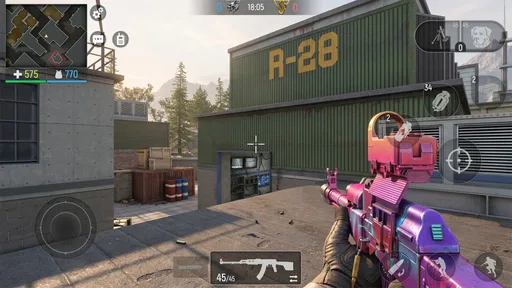
Jumping into Modern Ops: Gun Shooting Games was like diving headfirst into a high-octane action movie. From the moment I launched the app, I was greeted with crisp graphics and a sleek user interface. The game’s design is intuitive, making it easy for newcomers to navigate without a steep learning curve. And believe me, that's something I really appreciate in a mobile game.
Gameplay and Features
Let's get into the nitty-gritty of what makes this game tick. The primary allure of Modern Ops lies in its multiplayer mode. You can team up with friends or go solo in a variety of missions, battling opponents from around the world. It's all about strategy and quick reflexes here. I found myself getting lost in the myriad of modes, each offering a unique challenge.
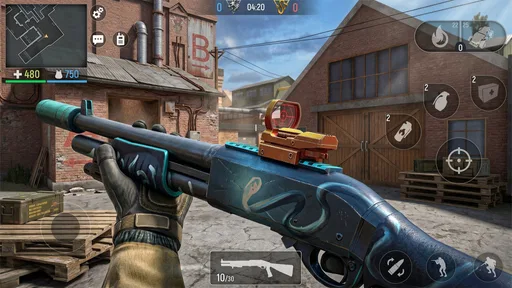
The game boasts a wide range of weapons, and when I say wide, I mean it. From sniper rifles to shotguns, the arsenal is comprehensive, allowing players to tailor their loadouts to their play style. Upgrading these weapons is essential, and the game makes this process engaging with its reward system.
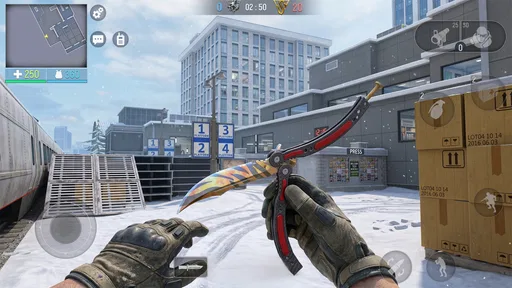
One standout feature is the customization. Not only can you tweak your weapons, but you can also personalize your character. This adds a layer of depth and personal connection to your in-game avatar, which I found to be a nice touch.
Graphics and Sound
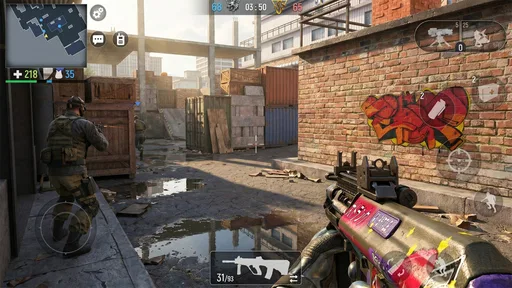
The visual experience in Modern Ops is nothing short of stunning. The graphics are sharp, and the environments are detailed, pulling you into the heat of battle. The developers have done a fantastic job in creating immersive landscapes that enhance the gameplay experience. The sound design complements this well, with realistic weapon noises and ambient sounds that bring the battlefield to life.
Community and Social Interaction
One of the aspects I enjoyed most was the sense of community within the game. The chat functions and team-based missions encourage interaction. It's easy to make new friends and allies, which is perfect if you're a social gamer like me. The in-game chat is smooth, and joining clans adds an extra layer of camaraderie.
In-App Purchases and Monetization
Now, let's talk about the money side of things. Yes, there are in-app purchases, and while they do offer certain advantages, they’re not necessary to enjoy the game. I appreciated that the developers seemed to strike a balance, ensuring that free players aren't left in the dust. Grinding for rewards is definitely possible, and it adds a satisfying sense of accomplishment.
Final Thoughts
Overall, Modern Ops: Gun Shooting Games offers a thrilling experience for anyone looking to get their action fix on mobile. Its engaging gameplay, impressive graphics, and robust community features make it a must-try. Whether you're a casual gamer or a hardcore enthusiast, there's something in this game for you. So, if you're ready to embark on an action-packed adventure, grab your phone, download the app, and dive in!
Pros
- Intuitive controls for smooth gameplay.
- Diverse weapon customization options.
- Frequent updates with new content.
- Engaging multiplayer battles.
- Realistic graphics and sound design.
Cons
- In-app purchases can be costly.
- Occasional lag in online matches.
- Repetitive mission objectives.
- Requires stable internet connection.
- Battery consumption is quite high.
FAQs for Modern Ops: Gun Shooting Games
What is the gameplay like in Modern Ops: Gun Shooting Games?
Modern Ops offers a fast-paced, multiplayer first-person shooter experience. Players engage in intense team-based battles across various maps. The game features a variety of weapons, tactical equipment, and character customization options, providing a dynamic and competitive environment that appeals to fans of action-packed shooters.
Is Modern Ops free to play, or are there in-app purchases?
Modern Ops is free to download and play, making it accessible to everyone. However, the game does include optional in-app purchases. These allow players to buy premium currency, which can be used for weapon upgrades, character skins, and other enhancements to enrich the gaming experience.
What are the system requirements for Modern Ops on Android and iOS?
For Android, Modern Ops requires version 4.4 or higher, and for iOS, it needs iOS 9.0 or later. The game is optimized for both smartphones and tablets, but for the best performance, a device with a stable internet connection and reasonably updated hardware is recommended.
How does Modern Ops ensure fair play among users?
Modern Ops employs an anti-cheat system to maintain a fair playing environment. The developers regularly update the system to detect and prevent hacks or cheats. Additionally, the matchmaking system is designed to pair players with opponents of similar skill levels, ensuring balanced and competitive gameplay.
What modes are available in Modern Ops, and can I play offline?
Modern Ops primarily focuses on online multiplayer modes, including team deathmatch and capture the flag. Unfortunately, there isn't an offline mode available, as the game's core experience relies on real-time competition with other players globally, requiring a constant internet connection.


